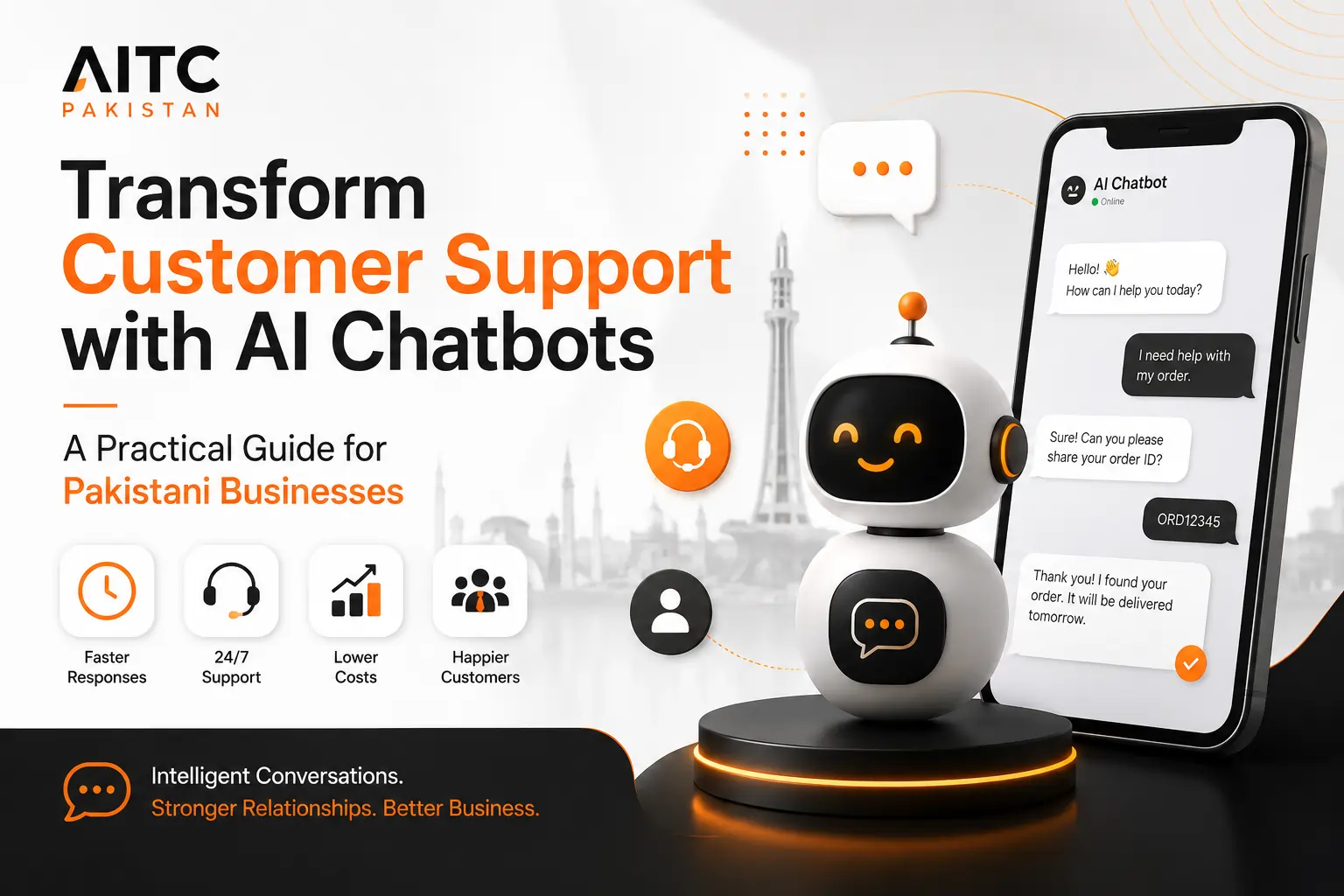
Transform Customer Support with AI Chatbots: A Practical Guide for Pakistani Businesses
AI chatbots can help Pakistani businesses answer routine questions, reduce customer waiting time, support service teams and handle growing enquiry volumes without lowering the quality of the customer experience.
Customer Support Breaks Down When Demand Grows Faster Than the Team
A customer sends a message asking where their order is. Another wants to know whether a service is available in their city. A third is trying to reset an account password. At the same time, support staff are answering phone calls, checking email, replying on WhatsApp and handling unresolved complaints.
None of these questions may be difficult, but together they create pressure. As the number of customers grows, response times become slower, agents become overloaded and simple issues remain unresolved for too long.
This is where AI chatbots can create practical value.
A properly implemented support chatbot can answer common questions instantly, guide customers through routine processes, collect relevant details and transfer complex matters to the right employee.
For Pakistani businesses, the commercial benefit is not only lower support pressure. Faster and more reliable service can protect customer trust, reduce frustration and make it easier to scale operations.
The key is implementation. A chatbot that gives vague answers or blocks access to a human can make the experience worse. A useful AI support system must be built around real customer questions, approved information and clear escalation rules.
What Is an AI Customer Support Chatbot?
An AI customer support chatbot is a conversational system designed to help customers resolve questions and complete routine support tasks.
It can operate on a website, customer portal, mobile application or connected messaging channel. Instead of relying only on fixed buttons or scripted replies, an AI chatbot can interpret natural-language questions and respond using approved company information.
Depending on the business, it may help customers:
- Find answers to frequently asked questions.
- Check order, booking or request status.
- Understand service policies and operating hours.
- Locate a branch, department or support channel.
- Complete basic troubleshooting steps.
- Submit account, billing or technical information.
- Create or update a support ticket.
- Reach a human agent when the issue cannot be resolved automatically.
A support chatbot should not be designed to avoid customers. It should help customers reach the right answer or the right person faster.
AITC Pakistan provides AI chatbot development services for organisations that want support automation aligned with their own services, policies, support processes and customer expectations.
Why Customer Support Becomes Difficult for Growing Pakistani Businesses
Many companies begin with a small customer base and a support process managed by a few employees. Questions are handled through phone calls, email, social media and WhatsApp.
This may work initially. Problems appear when the business gains more customers, expands into additional cities or launches more products.
Enquiries arrive through too many channels
Customers contact the company through forms, email, WhatsApp, Facebook, Instagram, phone calls and individual staff members.
Agents repeat the same answers
Support employees spend a large part of the day answering questions about pricing, delivery, timing, documents, locations and policies.
Customers wait too long
Messages remain unanswered during busy periods, weekends, lunch breaks or after office hours.
Information is inconsistent
Different staff members may provide different answers because no central knowledge source exists.
Urgent issues are mixed with routine questions
A serious complaint may remain in the same queue as a simple question about opening hours.
Management lacks visibility
When support conversations are scattered across channels, leaders cannot easily measure workload, response quality or unresolved issues.
These issues do not always mean the company has poor employees. They often mean the support process was never designed for the current level of demand.
AI chatbots can help create a structured first layer of support while allowing employees to focus on matters that need human attention.
Why Faster Customer Support Matters
Customers usually contact support because something is preventing them from moving forward. They may be unable to place an order, access an account, understand a service, complete a payment or confirm a booking.
Every additional delay increases frustration.
Fast support matters because it affects:
- Customer trust.
- Purchase confidence.
- Repeat business.
- Complaint escalation.
- Employee workload.
- Public reviews and reputation.
- Customer retention.
An AI chatbot can reduce the time required to answer routine questions because the customer does not need to wait for an employee to become available.
This does not mean every issue should be resolved automatically. It means simple requests can be handled immediately while complex requests are identified and routed more efficiently.
A fast incorrect answer creates more work. For that reason, chatbot performance should be measured using both response time and resolution quality.
AI Chatbot vs Live Chat vs Traditional Customer Support
AI chatbots, live chat and traditional support teams solve different parts of the customer service problem.
A business does not always need to choose only one model. The strongest support operation often combines all three.
| Support Method | Best Use | Main Strength | Main Limitation |
|---|---|---|---|
| AI chatbot | Routine questions, guidance, basic troubleshooting and ticket collection | Immediate, scalable and available around the clock | Requires accurate knowledge, testing and human escalation |
| Live chat | Real-time conversations requiring a human response | Combines speed with human understanding | Depends on agent availability and staffing levels |
| Phone support | Urgent, emotional, complex or high-risk issues | Provides direct human reassurance | Difficult to scale and expensive during high demand |
| Email support | Detailed issues requiring documents or written records | Useful for structured, asynchronous communication | Often slower and difficult for quick clarification |
| In-person support | Physical verification, service delivery or highly sensitive matters | Supports trust and detailed assistance | Limited by location, working hours and staff capacity |
The best model depends on customer expectations, issue complexity and business risk.
For example, an e-commerce company may automate delivery questions but transfer refund disputes to a human. A clinic may automate appointment information but direct medical questions to qualified staff. A bank may automate branch information but require secure verification for account-specific requests.
The chatbot should therefore be part of a broader customer support design, not treated as a replacement for every existing channel.
How an AI Chatbot Handles a Customer Support Request
-
The customer explains the issue.
The conversation may begin with a question, complaint, request or description of a problem. -
The chatbot identifies the topic and urgency.
It determines whether the request concerns billing, delivery, account access, technical support, appointments or another category. -
The system checks approved support information.
It searches the relevant knowledge source for a suitable answer or process. -
The customer receives guidance.
The chatbot may provide instructions, ask for clarification or direct the customer to the correct next step. -
Resolution is confirmed.
The system asks whether the information solved the problem. -
Unresolved issues are escalated.
If the chatbot cannot resolve the matter, it collects the required details and transfers or routes the request. -
The interaction is recorded.
The business can store the issue category, customer information, outcome and escalation reason for reporting.
Businesses with complex support requirements may need custom AI development to connect the chatbot with order systems, ticketing platforms, customer databases or internal workflows.
Human Handover Is Essential for Reliable AI Customer Support
AI chatbots are most effective when they know when to stop. Some customer issues require empathy, negotiation, authority, specialist knowledge or access to protected account information.
A customer who is upset about a delayed medical appointment should not be forced through an endless automated conversation. A business client reporting a major service failure may need immediate attention from an account manager. A customer disputing a payment may require verification and a formal review.
For these situations, the chatbot should recognise the limits of automation and create a smooth route to a human agent.
Customer requests a person
The chatbot should not hide or block access to human support. When the customer asks for an agent, the system should clearly explain the available handover process.
Low confidence in the answer
If the system cannot identify an accurate answer from approved information, it should avoid guessing and transfer the request.
Sensitive or emotional language
Complaints, distress, threats, safety concerns and emotionally serious situations require more careful handling.
High-value customer or transaction
Certain accounts, contracts, purchases or service failures may require priority routing based on business rules.
What should be transferred with the conversation?
A useful handover should include the context already collected during the chatbot interaction. This can include:
- Customer name and contact information.
- Account, booking, order or ticket reference.
- Reason for contact.
- Questions already asked.
- Information already provided.
- Suggested issue category.
- Urgency or sentiment indicators.
- Reason the chatbot could not complete the request.
This prevents customers from repeating the same information and helps employees understand the situation before responding.
The best chatbot experience is not always a fully automated resolution. Sometimes it is a faster, better-informed human response.
Using AI Chatbots for WhatsApp Customer Support
WhatsApp is an important communication channel for many Pakistani businesses because customers already use it for everyday conversations.
Businesses receive questions about product availability, pricing, delivery, appointments, documents, locations and after-sales service. In many cases, these messages are handled manually by one or two employees using a shared number or individual devices.
This approach becomes difficult as message volume increases.
An AI-enabled WhatsApp support workflow can help businesses organise incoming conversations, answer approved questions and direct unresolved enquiries to the right team.
Instant answers
Customers can receive immediate information about operating hours, delivery coverage, appointment availability and common policies.
Structured data collection
The chatbot can ask for a name, city, order number, service type or preferred appointment date before routing the request.
Priority routing
Messages can be categorised and sent to sales, technical support, billing, complaints or another responsible team.
Examples of WhatsApp support automation
- An e-commerce customer asks whether cash on delivery is available in their area.
- A patient requests clinic timing and appointment instructions.
- A student asks about admission requirements and application deadlines.
- A property buyer requests project details and office location.
- A logistics customer checks delivery status using a tracking reference.
- A hotel guest asks about check-in time, room facilities and airport transfer options.
Businesses should also avoid turning every customer message into a promotional campaign. Support communication must remain useful, relevant and respectful.
How Website Chatbots Improve the Customer Journey
A website visitor may be interested in a product or service but unable to find a specific answer. They may want to understand the process, compare options, check eligibility or confirm whether the business serves their location.
Without assistance, the visitor may leave the website, delay the decision or contact a competitor.
A website chatbot can provide support at the moment a question appears.
Navigation assistance
The chatbot can direct visitors to relevant service pages, forms, policies, resources or booking options.
Pre-purchase questions
Customers can ask about pricing structure, service coverage, product suitability and delivery conditions.
Post-purchase support
Existing customers can get help with order status, account access, returns, appointments or troubleshooting.
Lead and support separation
The system can identify whether the visitor needs sales assistance or customer support and route the conversation correctly.
A chatbot can also improve website accessibility by giving customers another way to locate information. However, it should not replace clear navigation, readable content, accessible forms or properly structured pages.
The chatbot should support the website experience rather than compensate for poor website design.
Automating Frequently Asked Customer Questions
Frequently asked questions are often the best starting point for AI customer support because they are repetitive, predictable and based on information the business already controls.
Examples include:
- What are your business hours?
- Which cities do you serve?
- How long does delivery take?
- What documents are required?
- How can I reschedule my appointment?
- What payment methods do you accept?
- How do I reset my password?
- Can I return or exchange an item?
- How can I track my application?
- How do I contact the relevant department?
A chatbot can provide these answers instantly, but the content must be managed carefully.
Build answers from approved sources
The business should define which documents, pages, policies and knowledge articles the chatbot is allowed to use.
Approved sources may include:
- Website service pages.
- Help centre articles.
- Product documentation.
- Return and refund policies.
- Internal support manuals.
- Delivery terms.
- Appointment procedures.
- Account setup instructions.
- Official pricing and eligibility documents.
This improves accuracy and reduces the risk of the chatbot creating unsupported answers.
Keep information updated
A chatbot connected to outdated content may confidently provide the wrong information. Support teams therefore need a process for reviewing and updating source material.
Common changes include:
- New prices.
- Updated office hours.
- Changed delivery coverage.
- Revised documentation requirements.
- New products or services.
- Seasonal schedules.
- Updated cancellation or refund rules.
Knowledge Base, CRM and Ticketing Integration
A standalone chatbot can answer basic questions, but deeper value appears when it connects with the systems used by the support team.
These integrations allow the chatbot to retrieve approved information, create support records and pass structured context into the existing workflow.
Knowledge base integration
The chatbot can search support articles, internal guides, product documentation and approved policies to produce grounded answers.
CRM integration
Customer details and interaction history can be attached to the conversation, subject to identity verification and access controls.
Ticketing system integration
Unresolved issues can create tickets with the correct category, priority, summary and assigned department.
Order or booking integration
Customers may check approved status information after providing the required reference and verification details.
Why integration matters
Without integration, the chatbot may answer general questions but cannot complete meaningful support actions. It may tell a customer to contact another department even when the information already exists in a business system.
With the correct integration, the chatbot can become part of the support process rather than a separate information box.
Integration may allow the system to:
- Create a support ticket automatically.
- Update the customer record.
- Route the issue to the correct queue.
- Retrieve order or booking status.
- Schedule a follow-up.
- Attach conversation history.
- Trigger an internal notification.
- Record the resolution outcome.
These workflows must be designed with authentication, permissions and data security in mind. Not every chatbot should have access to every customer record or internal system.
Intelligent Ticket Routing and Priority Management
Many support teams lose time because incoming requests are incomplete or sent to the wrong department.
An AI chatbot can improve the quality of ticket intake by asking structured questions before the request enters the queue.
For example, instead of receiving a message that says, “My account is not working,” the support team could receive:
Customer type: Existing customer
Problem: Password reset link not received
Device: Android mobile
Attempts made: Two
Urgency: Customer needs access before scheduled service
Suggested queue: Technical support
This allows employees to begin with useful context instead of spending the first part of the conversation collecting basic information.
Possible routing rules
- Billing questions go to accounts.
- Technical errors go to product support.
- Refund requests go to customer care.
- Corporate clients go to account management.
- Urgent safety issues trigger priority alerts.
- Admission questions go to the relevant campus or programme team.
- Property maintenance requests go to the responsible building team.
Routing rules should be reviewed using actual support data. If the chatbot repeatedly misclassifies a certain type of issue, the workflow should be updated.
Supporting Customers in English, Urdu and Roman Urdu
Pakistani customers do not always communicate in one standard language format. A single conversation may combine English, Urdu and Roman Urdu.
A customer might write:
English
“I placed an order yesterday. When will it be delivered?”
Urdu
میرا آرڈر کب ڈیلیور ہوگا؟
Roman Urdu
“Mera order kab deliver hoga?”
A multilingual support chatbot can make assistance easier for customers who are more comfortable using one of these formats.
However, multilingual support requires more than automatic translation.
The business should test:
- Whether the chatbot understands common local wording.
- Whether Roman Urdu variations are interpreted correctly.
- Whether translated answers preserve the original meaning.
- Whether formal and informal language is appropriate for the brand.
- Whether important legal, financial or medical terms remain accurate.
- Whether human escalation is available in the required language.
Testing should include actual examples from customer emails, website chats and WhatsApp messages after removing personal or sensitive information.
How AI Chatbots Can Improve Customer Satisfaction
Customer satisfaction does not improve simply because a company installs a chatbot. It improves when the chatbot removes friction from the support journey.
Customers usually value:
- Quick acknowledgement.
- Clear and accurate answers.
- Simple instructions.
- Transparency about what will happen next.
- Access to a human when required.
- No need to repeat information.
- Consistent service across channels.
A well-designed chatbot supports these expectations by answering routine questions immediately and giving customers a clear path forward.
Bad chatbot experience
- Repeats the same answer even when the customer says it is incorrect.
- Uses long and complicated responses.
- Does not understand common wording.
- Provides links without explaining why they are relevant.
- Refuses to transfer the customer.
- Asks for information the customer already provided.
- Claims an issue is resolved when it is not.
Good chatbot experience
- Confirms what the customer needs.
- Provides concise, specific guidance.
- Uses approved information.
- Explains limitations honestly.
- Offers relevant next steps.
- Transfers context to a human agent.
- Records whether the issue was resolved.
Customer satisfaction should therefore be measured through both automated and human-assisted interactions.
Reducing Support Costs Without Reducing Service Quality
Customer support costs increase when every enquiry requires manual attention, even when many questions are repetitive.
AI chatbots can reduce avoidable workload by handling appropriate first-line support tasks. This may allow businesses to serve more customers without expanding the support team at the same rate as enquiry volume.
Potential efficiency improvements include:
Lower repetitive workload
Agents spend less time repeating the same policy, delivery, booking and account information.
Better use of specialist staff
Skilled employees can focus on technical, sensitive or high-value customer issues.
Reduced queue pressure
Routine requests are resolved before they enter the human support queue.
More consistent answers
Customers receive information based on the same approved source material.
Cost reduction should not be treated as permission to remove human support completely.
Businesses should evaluate where automation improves the customer experience and where human involvement remains necessary.
The objective is not to automate every conversation. It is to use human attention where it creates the most value.
Companies considering AI support automation can contact AITC Pakistan to discuss customer journeys, support channels, integrations and implementation requirements.
How Pakistani Industries Can Use AI Chatbots for Customer Support
AI customer support is not limited to one type of company. The strongest use cases appear wherever customers repeatedly ask similar questions, need guidance through a process or require updates from a business system.
The exact workflow should match the risks, regulations and service expectations of each industry.
Order and delivery support
Online retailers can automate questions about delivery areas, payment methods, order status, exchanges, returns and product availability.
The chatbot can collect an order number, explain the relevant policy and escalate damaged-item or refund disputes to customer care.
Appointment and administrative assistance
Clinics and hospitals can provide information about appointment booking, departments, timings, required documents and location details.
Medical advice, diagnosis and urgent health concerns should be directed to qualified healthcare professionals.
Admissions and student services
Schools, universities and training providers can answer questions about courses, eligibility, fees, application deadlines, campus locations and required documents.
Existing students can also receive guidance about portals, schedules and administrative procedures.
Property enquiry support
Real estate companies can answer questions about project location, available units, payment plans, viewing schedules and documentation.
Maintenance complaints and handover issues can be routed to the relevant property management team.
General information and secure routing
Financial organisations can automate branch details, product information, application requirements and general process guidance.
Account-specific or transaction-related information must use appropriate identity verification and security controls.
Shipment and service updates
Logistics companies can provide tracking guidance, delivery coverage, service schedules, documentation requirements and escalation for delayed shipments.
The chatbot can collect references before creating a support ticket.
Dealer and technical support
Manufacturers can support dealers, distributors and customers with product documentation, warranty processes, spare-parts enquiries and technical issue intake.
Complex faults can be transferred to engineering or service teams with structured details.
Guest assistance
Hotels and travel businesses can answer questions about check-in, booking policies, room facilities, transport, cancellations and local services.
Urgent guest concerns can be routed directly to front-desk or duty staff.
Public information and application guidance
Public-sector organisations can help citizens understand service procedures, office timings, document requirements and application steps.
Sensitive records and official decisions should remain protected by appropriate verification and human oversight.
Client intake and case routing
Legal, accounting, consulting and business-service firms can collect initial information, explain service categories and direct clients to the correct professional.
The chatbot should clearly avoid presenting automated information as professional advice.
These examples show why a generic chatbot is rarely enough. Each sector needs different controls, escalation rules, language, integrations and data access.
How to Prevent Incorrect or Invented Chatbot Answers
One of the most important risks in generative AI is hallucination. This occurs when an AI system produces an answer that sounds confident but is inaccurate, unsupported or invented.
In customer support, an incorrect answer can lead to complaints, financial loss, legal exposure or damage to customer trust.
Businesses should therefore design the chatbot around controlled information and clear limits.
Use approved knowledge sources
Restrict the chatbot to verified website pages, policies, product documentation, support articles and internal knowledge approved by the business.
Set confidence thresholds
When the system is uncertain, it should request clarification or escalate instead of creating an answer.
Control sensitive topics
Medical, legal, financial, safety-related and account-specific questions should follow stricter rules.
Review conversation logs
Teams should regularly examine failed responses, misunderstandings and escalations to improve the system.
Useful answer-control rules
- Do not provide information that is not available in an approved source.
- Do not guess prices, delivery dates, policies or account status.
- Do not claim a transaction has been completed unless confirmed by the connected system.
- Do not present general information as legal, medical or financial advice.
- Do not expose internal or confidential information.
- Ask clarifying questions when customer intent is unclear.
- Transfer high-risk or unresolved issues to authorised staff.
Security and Privacy Considerations for AI Customer Support
Customer support conversations may contain names, phone numbers, email addresses, account references, payment concerns, health information or other sensitive details.
Businesses should decide what information the chatbot is permitted to collect, where it is stored and who can access it.
Core security controls
- Encrypt data during transmission and storage where appropriate.
- Use role-based access for support staff and administrators.
- Collect only the information required for the support purpose.
- Apply identity verification before revealing account-specific information.
- Define retention periods for conversation records.
- Mask or avoid storing sensitive payment details.
- Keep integration credentials secure.
- Maintain logs for administrative changes and system access.
- Review third-party platform terms and data-processing arrangements.
- Provide customers with relevant privacy information.
Authentication before personal information
A chatbot should not display private order, account, medical, financial or application information simply because someone enters a name or phone number.
Depending on risk, verification may include:
- One-time passwords.
- Authenticated customer portals.
- Order and contact detail matching.
- Secure account login.
- Agent verification for sensitive cases.
Security should be included during planning, not added only after the chatbot is launched.
How to Measure the ROI of an AI Customer Support Chatbot
The return on investment should be evaluated using operational and customer-experience results rather than the number of conversations alone.
A chatbot that handles thousands of conversations but fails to resolve issues may create more work for the support team.
| Metric | What It Measures | Why It Matters |
|---|---|---|
| First response time | How quickly the customer receives the first useful reply | Shows whether waiting time has improved |
| Automated resolution rate | Percentage of conversations resolved without human assistance | Measures appropriate workload reduction |
| Escalation rate | Percentage of conversations transferred to staff | Helps identify where automation is limited or knowledge is missing |
| First-contact resolution | Issues resolved during the initial interaction | Indicates convenience and process quality |
| Average handling time | Time agents spend resolving transferred issues | Shows whether structured context improves productivity |
| Ticket volume | Number of requests entering human support queues | Measures the effect of routine support automation |
| Customer satisfaction | Customer rating after the interaction | Confirms whether faster support is also useful |
| Recontact rate | Customers returning about the same unresolved issue | Helps detect false or incomplete resolutions |
| Cost per resolved enquiry | Total support cost divided by resolved cases | Connects operational performance with financial value |
| Agent workload distribution | How employee time is divided across routine and complex issues | Shows whether staff are being used more effectively |
A simple ROI framework
Before implementation, record the current support baseline:
- Monthly enquiry volume.
- Number of support employees.
- Average response time.
- Average resolution time.
- Common enquiry categories.
- After-hours enquiry volume.
- Cost of support systems and staffing.
- Customer satisfaction and complaint levels.
After launch, compare the same measurements while accounting for changes in customer volume and seasonal demand.
Mistakes Businesses Should Avoid When Launching a Support Chatbot
Automating before understanding demand
The company installs a chatbot without analysing real customer questions, support categories or failure points.
Using outdated information
Prices, timings, policies and service details change, but the chatbot continues using old content.
Blocking human support
Customers become trapped in automation even when the issue clearly requires an employee.
Trying to automate every issue
The business applies the chatbot to complaints, sensitive cases and specialist enquiries without suitable controls.
Ignoring local language patterns
The system is tested only with formal English and fails to understand common Urdu or Roman Urdu phrasing.
Launching without measurement
No one tracks resolution quality, customer satisfaction, escalation or incorrect answers.
A phased rollout is usually safer than launching a broad chatbot across every channel and support category at once.
A Practical AI Chatbot Implementation Roadmap
-
Audit current customer conversations.
Review website forms, emails, WhatsApp messages, call records and support tickets to identify common questions and delays. -
Select the first support use case.
Choose a high-volume, low-risk area such as delivery questions, appointment information, admission guidance or service FAQs. -
Define approved knowledge.
Identify the pages, documents, policies and system data the chatbot may use. -
Map the customer journey.
Define questions, clarification steps, resolution paths, escalation triggers and handover responsibilities. -
Choose channels.
Decide whether the first deployment should be on the website, WhatsApp, a portal or another customer touchpoint. -
Design integrations.
Determine whether the chatbot needs access to ticketing, CRM, order, booking or notification systems. -
Set safety and security rules.
Define authentication, permissions, sensitive topics, data handling and forbidden responses. -
Test with real customer language.
Include spelling mistakes, short messages, Roman Urdu, mixed-language questions and unclear requests. -
Launch a controlled pilot.
Start with a limited audience, channel or enquiry category before expanding. -
Measure and improve.
Review unresolved questions, incorrect answers, escalation patterns, customer feedback and agent experience.
Recommended pilot scope
A sensible first phase may include:
- Twenty to fifty high-frequency customer questions.
- One primary support channel.
- One clear human escalation path.
- A limited number of approved integrations.
- Weekly performance review during the pilot.
- Documented ownership for updating chatbot information.
This approach makes it easier to identify problems before the system reaches a larger customer audience.
How to Choose an AI Chatbot Provider in Pakistan
The right provider should understand customer support operations, not only chatbot interfaces.
Before selecting a technology partner, ask:
- Will the chatbot use our approved business information?
- How will incorrect answers be prevented and reviewed?
- Can customers reach a human easily?
- Can the system integrate with our CRM, ticketing or booking platform?
- Does it support our customer languages and common wording?
- How are permissions, authentication and sensitive information handled?
- What reporting and conversation analytics are included?
- Who will update the chatbot when our policies change?
- Can the solution expand to additional departments and channels?
- What support is available after launch?
Be cautious with providers that promise complete automation without analysing your support process, data quality or customer risks.
The implementation should begin with business requirements and customer journeys. Technology should support that plan.
Why Work with AITC Pakistan on AI Customer Support?
AITC Pakistan helps businesses plan and build AI chatbot solutions around practical support requirements.
The process can include:
Customer journey analysis
Reviewing how customers currently ask for help and where delays or repeated work occur.
Knowledge design
Structuring approved business information so the chatbot can provide relevant and controlled answers.
Custom workflow development
Creating issue classification, ticket routing, escalation and notification processes.
System integration
Connecting the chatbot with suitable CRM, support, booking, order or internal systems.
Language and conversation testing
Testing common customer phrases, mixed-language queries and business-specific terminology.
Performance improvement
Using conversation results to improve knowledge, routing and customer experience after launch.
Businesses can also explore GEO and AIO services to improve how their information is structured for modern search engines and AI-powered discovery platforms.
Visit the AITC Pakistan Insights section for more practical guidance on AI adoption, automation and digital transformation.
Turn Repetitive Customer Questions into Faster, More Consistent Support
AITC Pakistan can help you identify the right support workflows, chatbot features, integrations and escalation process for your business.
Whether you need a website chatbot, WhatsApp support automation, multilingual assistance or a custom AI customer-service solution, the first step is understanding how your customers currently ask for help.
Discuss Your AI Support ProjectAI Chatbots for Customer Support: FAQs
What is an AI customer support chatbot?
Can an AI chatbot replace a customer support team?
Can AI chatbots provide support 24 hours a day?
Can an AI chatbot work on WhatsApp?
Can a chatbot understand Urdu and Roman Urdu?
How does a chatbot hand a customer to a human agent?
How can businesses prevent AI chatbot hallucinations?
Can an AI chatbot connect with a CRM?
Can a chatbot create customer support tickets?
Which Pakistani businesses benefit most from AI support chatbots?
How long does it take to implement an AI chatbot?
How much does an AI customer support chatbot cost?
What customer support metrics should be tracked?
Should a business start with a website chatbot or WhatsApp chatbot?
How often should chatbot information be updated?
AI Customer Support Works Best When Automation and Human Service Work Together
AI chatbots give Pakistani businesses a practical way to answer routine questions faster, support customers outside office hours and organise growing enquiry volumes.
The strongest results do not come from replacing every human conversation. They come from designing a support system where automation handles predictable work and employees focus on cases that require judgment, empathy, authority or specialist knowledge.
Successful implementation depends on accurate information, clear escalation, secure integrations, multilingual testing and continuous review.
Businesses should begin with a focused use case, measure the results and expand only when the customer experience remains reliable.
To explore a chatbot designed around your customer support operation, visit AITC Pakistan or speak with the team .
This guide provides general business and technology information. Organisations should obtain appropriate legal, privacy, security and industry-specific advice for their own implementation.